

Mecanum wheel assembly#
Here briefly introduce how to build the Mecanum base version.
(This page is still under construction)
Intro#
Use the same hardware stack as the dual-wheel assembly: only replace the wheels, along with their connectors.
Mecanum drive gives holonomic motion (strafe and turn in place).
Four drive motors: more total torque and traction than dual-wheel’s two motors; costs two extra motors and wiring.
More background: GitHub issue #113.
X-pattern layout#
Mount the wheels in an X configuration: from above, the free-spinning rollers on the four corners should line up like an X through the center of the base (each wheel’s rollers run toward the nearer diagonal). The xlerobot_mecanum software assumes this layout—the alternative O (diamond) pattern will not match the kinematics unless you change the model.
Demo#
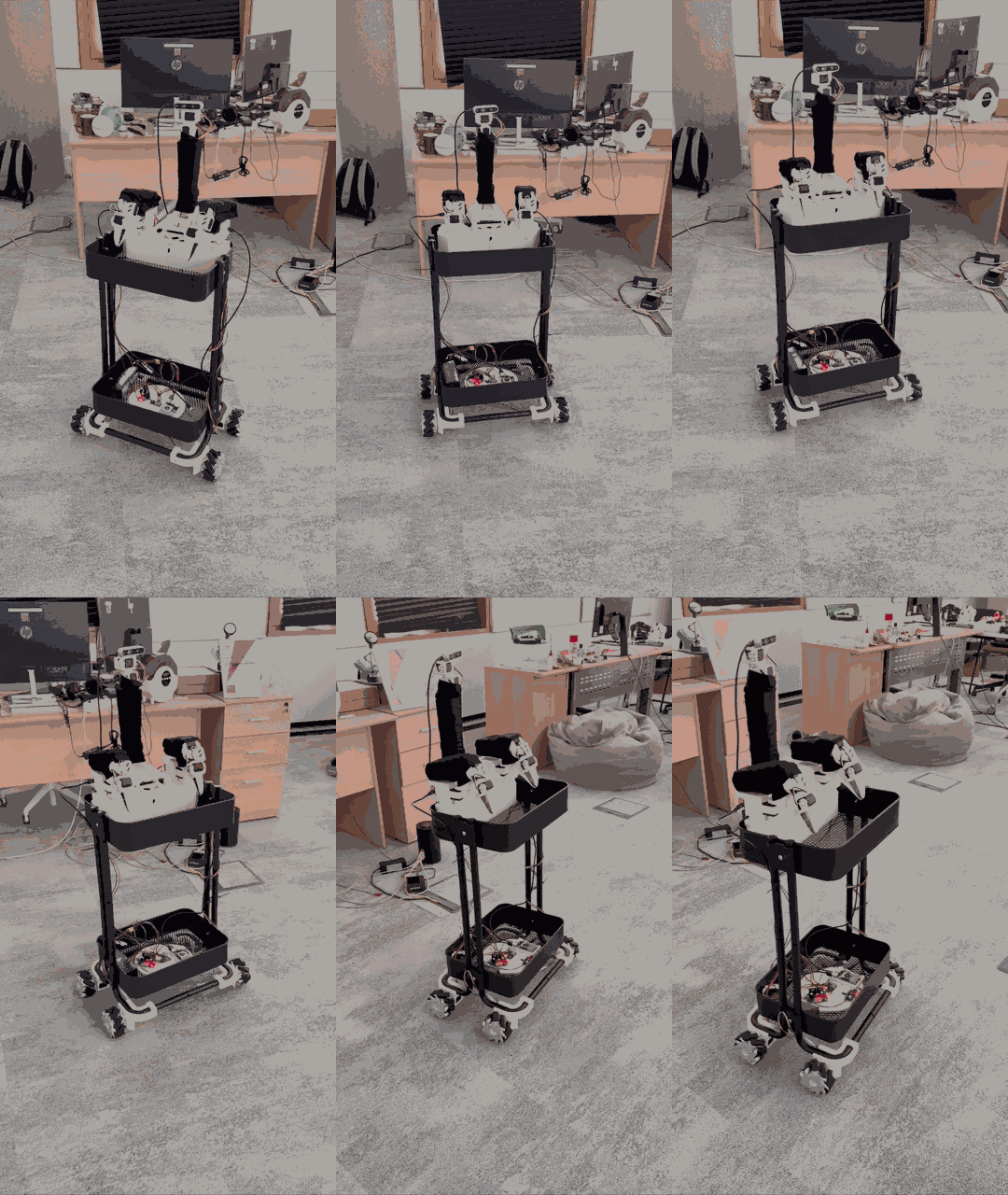
The source recording was resized and frame-sampled for the docs so the file stays small in Git.
Keyboard teleop#
Use the same script as the classic XLeRobot keyboard teleop: software/examples/4_xlerobot_teleop_keyboard.py. After copying xlerobot_mecanum into lerobot/robots/, change only the imports and the host hint at the top to lerobot.robots.xlerobot_mecanum (e.g. XLerobotConfig, XLerobot, and python -m lerobot.robots.xlerobot_mecanum.xlerobot_host). Base keys stay i/k/j/l/u/o (see teleop_keys in config_xlerobot.py).
Parts (besides 3D printed parts and servo motors)#
Mecanum wheels (one possible listing): AliExpress
30 x 37 x 4 mm bearings — same as dual-wheel
Longer motor cables (or extension kit) if needed — same as dual-wheel
Printed parts for the plate and cart interface: follow the same sources as on the dual-wheel page (for example XLeRobot_0_4_0_extra.stl); swap only the wheel-side parts for your Mecanum hub design.
Wheel–motor adapter (this repo): mecanum_wheel_motor_coupling.stl for printing, mecanum_wheel_motor_coupling.step as CAD source.
Motors#
Configure Feetech IDs the same way as in the main Assembly (e.g. Bambot Feetech tool). For the default xlerobot_mecanum layout, the second bus carries the right arm plus four base motors (7–10: front-left, front-right, rear-left, rear-right). If your wiring differs, change the Motor(..., id=...) entries in software/src/robots/xlerobot_mecanum/xlerobot.py.